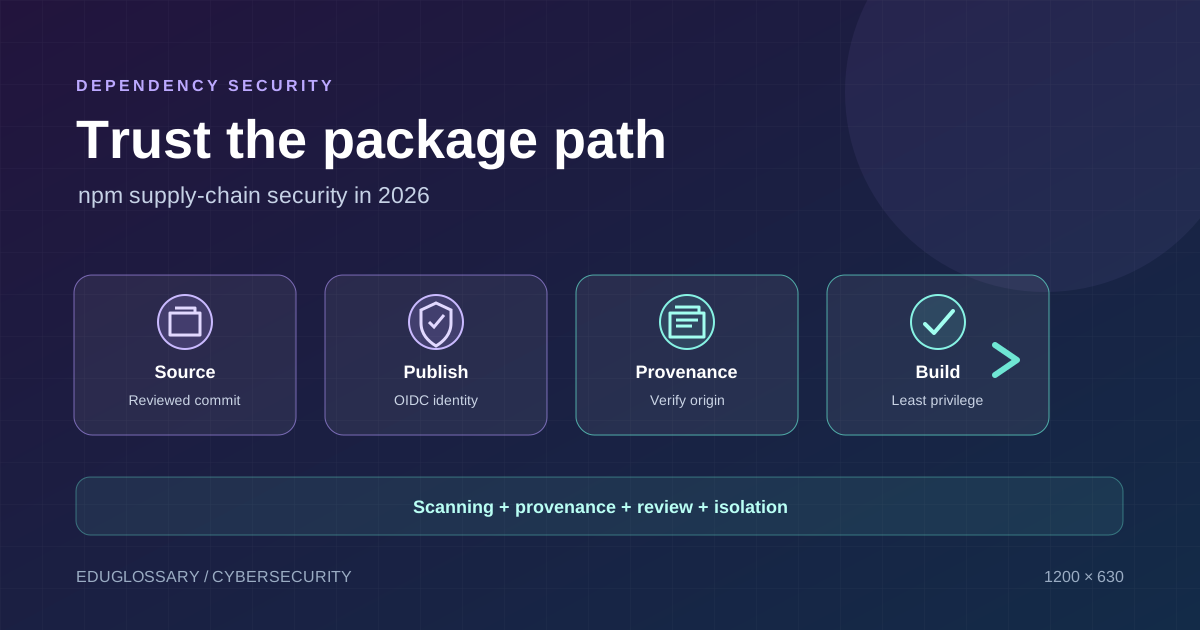
Modern JavaScript applications often depend on hundreds or thousands of packages assembled from registries, source repositories, build tools, and automated release workflows. That ecosystem speeds up development, but it also creates a security boundary outside the application’s own source code. A package can be technically valid, popular, and easy to install while still presenting risks if its maintainer account, release process, or dependency chain is compromised.
npm and GitHub have been rolling out additional safeguards for this problem. On 28 July 2026, GitHub announced automatic malware scanning for newly published npm packages, which can allow a package to publish normally, hold it for review, or block it. npm’s documentation also supports trusted publishing through OpenID Connect (OIDC) and package provenance that links a published package to source code and build instructions. These are useful controls, but none of them makes an application automatically safe.
Status checked: 24 October 2026. Registry rules and supported publishing integrations change over time. Consult the current npm documentation before changing a production publishing workflow.
What is an npm software supply-chain attack?
A software supply-chain attack compromises something developers rely on to build, publish, or install software rather than attacking only the finished application. In the npm ecosystem, the target may be a maintainer account, a package release, an install-time script, a dependency used indirectly by another package, a publishing token, or a CI job that has permission to publish releases.
A malicious package can attempt to read environment variables, collect credentials, alter application files, send information to an external server, or install additional code. The actual impact depends on what runs the package, which privileges it has, whether scripts execute during installation or build, and which secrets are available in that environment. A package downloaded for local experimentation has a different exposure profile from a package installed in a deployment job holding production credentials.
Supply-chain security is therefore not just a question of whether a package has known vulnerabilities. It also concerns who published the artifact, what source and workflow produced it, whether its contents changed unexpectedly, and what permissions the build environment granted to it.
What changed in npm during 2026?
Malware scanning at publication time
In its 28 July 2026 changelog, GitHub said newly published npm packages would be scanned before they become available for installation. Depending on the scan result, the package can become available normally, be held for manual review, or be blocked. The changelog described a typical delay of around five minutes, with longer delays possible depending on package content, size, and traffic. These are operational estimates rather than a guaranteed service level.
The scanning is an additional registry-level control. It does not eliminate the need for maintainers to secure their accounts, protect the source repository, review release diffs, or minimize publishing credentials. Malware detection also has limits: a scan can only act on signals it can identify, and a malicious change may be difficult to distinguish from legitimate behavior without sufficient context.
If your package-release automation assumes that a version is available immediately after npm publish, it should tolerate a short delay. This is especially important when a pipeline publishes a package and then immediately tries to install that exact version in a downstream test or deployment job.
Source: npm publish-time malware scanning and dual-use metadata.
Trusted publishing reduces long-lived credentials
Traditional automated publishing commonly relies on a token stored as a CI/CD secret. A token is convenient, but it can become a high-value target. If an attacker can read a build log, compromise a third-party action, modify a workflow, or execute code inside a trusted job, the attacker may attempt to extract the token and use it outside the intended workflow.
npm’s trusted publishing uses OIDC-based identity to establish a relationship between a package and a supported CI/CD publisher. Instead of putting a long-lived npm publishing token into a workflow, the registry validates identity claims from the authorized publishing environment. This can reduce the risk associated with stolen or forgotten credentials.
The exact providers and capabilities differ. Current npm documentation describes trusted publishing for GitHub Actions and GitLab CI/CD; it also discusses CircleCI support, with limitations around automatic provenance. Check the documentation for the provider you actually use, since the presence of a generic OIDC feature in a CI platform does not automatically mean npm trusts that workflow.
Trusted publishing is a credential-control improvement, not a general approval for arbitrary workflow changes. A compromised workflow that has permission to publish can still publish malicious code through its authorized identity. Protect the source repository, restrict workflow permissions, review release triggers, and require appropriate human approval for high-impact publishing jobs.
Sources: npm trusted publishers and using private packages in a CI/CD workflow.
What package provenance proves—and what it does not
Package provenance provides verifiable metadata about where a package was built and how the build was performed. npm describes provenance attestations as a way to connect a package with a public source repository and build instructions. When provenance is available, consumers can inspect the referenced source commit and workflow, and check whether the release corresponds to the expected project.
This supports a practical question that package version numbers cannot answer on their own: does this artifact have a traceable relationship to the source and build process I expected?
npm’s current provenance documentation describes attestations using Sigstore and a public transparency log. When packages are published through supported trusted-publishing workflows under the documented conditions, provenance can be generated automatically. The conditions matter; for example, npm’s documentation notes restrictions for some repository visibility and provider combinations. Do not assume every package version on npm has provenance.
Provenance is not a malware verdict
A provenance attestation does not guarantee that the source code is benign, that the repository was never compromised, or that the build workflow did not execute malicious commands. A compromised maintainer could publish a malicious commit through a legitimate workflow, and the resulting artifact could still have a traceable provenance record.
Provenance answers questions about origin and process. Code review, dependency analysis, test coverage, and runtime controls answer different questions. Treat the evidence as complementary rather than interchangeable.
For existing projects, npm provides the npm audit signatures command to verify registry signatures and supported provenance attestations. A verification error should trigger investigation: it may reflect missing or invalid evidence, unsupported package metadata, tool-version requirements, or tampering. Read the output and documentation instead of assuming every error proves an attack.
Reference: npm provenance and signature verification.
A practical checklist for npm package consumers
1. Review the package before adding it
Check the package’s name carefully, its official repository, maintainers, release history, maintenance activity, issue tracker, and documentation. Look for naming confusion, unexplained ownership changes, unusually large release diffs, and installation scripts that perform unrelated network or filesystem actions. Popularity and download counts can be useful context, but they are not security certifications.
For a critical dependency, review the release diff between the last trusted version and the new one. If the package is maintained by your own organization, require changes to be traceable to reviewed commits and expected automation.
2. Keep dependency resolution reproducible
Commit the lockfile for your package manager and use the reproducible installation command in CI. For npm projects, npm ci installs dependencies according to the lockfile and is appropriate for clean automated builds. A lockfile improves repeatability; it does not prove that the locked package is safe. If a malicious version is locked, reproducibility can repeatedly install the malicious artifact.
Commands worth using as separate checks are npm ci, npm audit, and npm audit signatures. These commands serve different purposes. The first follows the committed dependency resolution, the second reports known vulnerabilities represented in npm’s advisory data, and the third checks supported registry signatures and attestations. None guarantees the absence of every security problem.
3. Review automated updates instead of blindly merging them
Automated dependency-update tools can improve patch hygiene, but update pull requests should still be tested and reviewed according to risk. Evaluate package identity, release notes, dependency changes, lifecycle scripts, and whether the proposed version is expected for the application. Separate routine patch updates from major upgrades or changes to critical build tools.
If a new release appears suspicious, avoid immediately allowing it into production just because it is newer. Use a controlled update process and investigate the specific version. At the same time, do not leave known vulnerable packages unpatched indefinitely; balance supply-chain checks with timely remediation.
4. Minimize install-time script exposure
Package lifecycle scripts can run commands during installation and build. For untrusted or newly introduced dependencies, consider whether scripts are required, what the scripts do, and whether they need to execute in the same environment that holds secrets. npm supports controls for install-script execution, but disabling scripts can break legitimate packages, so test carefully rather than applying a universal setting without assessing the build.
Use isolated build environments, avoid unnecessary network egress, and do not place production credentials in ordinary dependency-install jobs. A test environment can often build with read-only repository access and no deployment secrets.
5. Distinguish direct dependencies from transitive dependencies
A package listed in package.json may depend on many other packages. Those transitive dependencies can change the actual risk surface. Inspect the dependency tree and learn which top-level package introduces a suspicious or vulnerable transitive component.
Useful diagnostic commands include npm ls –all and npm explain [package-name]. Replace the placeholder with the package you are investigating. Avoid pasting secrets or private registry credentials into issue reports or online debugging tools while gathering the dependency tree.
6. Create a response path for suspicious releases
Document how maintainers can quarantine a version, identify which builds consumed it, revert to a trusted version, rotate credentials, and rebuild artifacts. Retain enough logs to connect a deployed release to a lockfile, commit, workflow run, and package version. If a suspect dependency was present in a CI job with high-value secrets, assess which secrets were accessible to that job rather than assuming the issue ended when the package was removed.
A practical checklist for npm package maintainers
Move away from long-lived publishing tokens where supported
Use trusted publishing when the supported CI provider and package setup allow it. If tokens remain necessary, use the narrowest available permissions, restrict their scope and lifetime, store them in the CI secret manager, and rotate them when exposure is suspected. Never paste tokens into repository files, issue comments, or build output.
npm’s token documentation also describes changes to direct publishing and staged publishing. As of the documentation checked on 24 October 2026, npm says that direct publishing with bypass-2FA tokens is being deprecated, with the ability to publish new package versions directly with a granular access token scheduled for removal in January 2027. Maintainers using these workflows should read the current npm access-token documentation and plan the transition before the deadline. This is a time-sensitive platform policy, so verify it again before making a release-process change.
Require multi-factor authentication and protect maintainers
Enable two-factor authentication on accounts that control package releases, and reduce the number of accounts with write privileges. Remove former maintainers promptly, review organization membership periodically, and secure the email and source-control accounts involved in recovery. Package permissions and registry access should follow least privilege.
Make releases traceable
Use reviewed changes, a protected release branch or tag policy, and a workflow that builds from a known commit. Preserve the relationship among the published version, source commit, lockfile, and build run. Make the release process predictable enough that unusual behavior can be detected.
Before publishing, inspect the package contents. Ensure that secrets, local configuration, test credentials, and unrelated files are not included. Use a clean build environment and test the packed package rather than relying only on the repository working tree. For an npm package, npm pack –dry-run is a helpful way to inspect the files that would be included.
Prepare for a suspicious release
Keep a clear owner and incident channel for package releases. If a release is suspected to be malicious, stop further promotion, identify impacted versions and downstream consumers, preserve logs and provenance evidence, revoke exposed tokens, and publish a fixed release once the repository and build path are known to be clean. Coordinate public advisories with the project’s maintainers and registry processes.
Avoid declaring that all users were compromised merely because a package is investigated or blocked. Communicate what was observed, which versions are confirmed affected, what evidence is available, and what users should do.
The limits of registry scanning and automated security tools
Registry scanning, provenance, signatures, lockfiles, vulnerability audits, code review, and sandboxing each address different failure modes. A scanner may miss a malicious payload, provenance may faithfully document a compromised source, and a vulnerability audit may not know that a release was intentionally malicious. Conversely, missing provenance does not automatically demonstrate that a package is malicious; it means the expected proof may not be available, and the trust decision needs more context.
Frequently asked questions
Does npm malware scanning make every published package safe?
No. It adds a detection and enforcement layer at publication time, but it cannot guarantee that every malicious behavior will be recognized. Consumers and maintainers still need to secure accounts, source repositories, workflows, dependencies, and runtime environments.
Does provenance prove that a package contains no malware?
No. Provenance connects an artifact with its source and build process. It improves traceability and enables verification, but a compromised source or workflow can produce a malicious artifact with valid provenance.
Should every project run npm audit?
Projects should use vulnerability checks as part of their maintenance process, but the result must be interpreted with context. A clean audit is not a guarantee of safety, and a report may require prioritization based on reachability, exposure, available fixes, and operational risk. It should be complemented by signature/provenance verification, review, and testing.
What should maintainers do first?
Secure the accounts and source repository, remove unnecessary write access, identify automation that uses long-lived publishing tokens, and review the current npm guidance for trusted publishing and staged publishing. Then improve release traceability and prepare an incident process for suspicious versions.
Official sources and further reading
- npm publish-time malware scanning and dual-use metadata — official explanation of the 2026 registry scanning change.
- npm trusted publishers — supported trusted-publishing arrangements and provenance behavior.
- Generating npm provenance statements — requirements and workflow setup for provenance.
- Viewing package provenance — how to inspect attestations and verify them using the npm CLI.
- npm access-token documentation — current token and staged-publishing policy.
- GitHub: Disrupting supply-chain attacks on npm and GitHub Actions — related controls for registry and CI/CD abuse.
The goal is not to distrust every open-source dependency. It is to make trust measurable: know which package you installed, trace how it was published, reduce the credentials available to its build, verify the evidence provided, and prepare a repeatable response when a release looks wrong.